Most creators spend hours designing a beautiful pin, then type the title in ten seconds without a second thought. That’s a missed opportunity. Your Pinterest pin title isn’t just a label, it’s one of the clearest signals you can give Pinterest about what your content is actually about.
A well-written title does three things at once: it tells Pinterest’s search system what your pin is relevant for, it tells the person scrolling exactly what they’ll get, and it sets up the click. Get it right, and your pin has a much better shot at showing up for the searches that matter to your business.
This guide walks through how to actually write Pinterest pin titles, not just what they are. You’ll find a step-by-step process, formulas you can reuse, real examples across different niches, and a checklist to run through before you hit publish. No inflated promises here, just a practical approach to writing titles that work.
What Are Pinterest Pin Titles?
A Pinterest pin title is the short headline attached to a pin. It appears above the description in the pin’s detail view, and it’s one of the first things Pinterest’s search and recommendation systems read to understand what your content covers.
It’s easy to confuse the title with other text elements on a pin, so here’s how they differ:
| Pinterest Element | Purpose |
|---|---|
| Pin Title | Clearly states the topic and supports search relevance |
| Pin Description | Adds context, supporting keywords, and detail |
| On-Image Text | Grabs attention visually and communicates the hook |
| Destination URL | Sends the click to the relevant page on your site |
Each of these plays a different role. The title’s job is clarity and relevance, not decoration. That’s a different job than the bold text sitting on top of your pin design.
Why Pinterest Pin Titles Matter for Pinterest SEO
Pinterest works like a visual search engine. When someone types a query into the search bar, Pinterest matches it against the text it can read on your pin, starting with the title.
A clear, keyword-relevant title helps in a few ways:
- It gives Pinterest context about your topic
- It helps your pin surface for searches that match your content
- It sets accurate expectations, which supports click-through
- It keeps your content organized and easy to categorize
That said, the title is one piece of a bigger picture. Pinterest SEO also depends on pin quality, board relevance, description quality, engagement, and how well your destination page delivers on what the pin promises. Pinterest’s own guidance on Pin performance points to the same idea, encouraging creators to review published pins for relevant keywords across the title, description, and board details rather than relying on the title alone. A strong title won’t compensate for a weak pin design or a landing page that doesn’t match the topic. If you want the fuller picture of how these pieces work together, our Pinterest SEO Best Practices guide covers the ranking factors in more depth.
How to Write Pinterest Pin Titles Step by Step
Here’s a practical process you can run through for every pin.
Step 1: Start With the Main Topic
Before you think about keywords or formulas, get clear on the single topic your pin is about. If your blog post covers Pinterest board organization, your title needs to say that, not something adjacent like “Pinterest growth tips.”
Step 2: Find the Primary Pinterest Keyword
Your title should naturally include the keyword you want the pin to rank for. This usually comes directly from your content’s main topic.
Keyword: Pinterest keyword research Title: “Pinterest Keyword Research: A Beginner’s Guide”
Keyword: Canva templates Title: “Best Canva Templates for Small Business”
If you haven’t identified your keyword yet, our Pinterest Keyword Research guide walks through how to find and validate one before you write anything.
Step 3: Understand Search Intent
Not every search means the same thing. Someone searching “Pinterest SEO” might want a definition, a tutorial, or a checklist, and your title should match what they’re actually looking for.
Common intent types on Pinterest:
- Informational — “What Is Pinterest SEO?”
- Tutorial/how-to — “How to Do Pinterest SEO Step by Step”
- List-based — “7 Pinterest SEO Tips That Actually Work”
- Commercial — “Best Pinterest Scheduling Tools Compared”
- Problem-solving — “Why Your Pinterest Traffic Dropped (And How to Fix It)”
Match the format of your title to the intent your content actually satisfies.
Step 4: Add a Clear Benefit
A title that names the topic is fine. A title that also tells the reader what they’ll gain is better.
“Pinterest SEO Tips” tells you the topic. “10 Pinterest SEO Tips to Improve Your Search Visibility” tells you the topic and the outcome.
The second version gives the reader a reason to click beyond curiosity.
Step 5: Use Numbers When They’re Accurate
List-style titles work well on Pinterest because they set a clear expectation.
- 7 Pinterest SEO Tips for Beginners
- 10 Pinterest Pin Design Ideas
- 15 Digital Products to Sell on Pinterest
Only use a number if your content actually delivers that many distinct, useful items. A mismatch between the title and the content erodes trust fast.
Step 6: Use Strong, Natural Words
Words like practical, simple, beginner-friendly, proven, and step-by-step can make a title feel more concrete, as long as they’re accurate. Avoid stacking multiple hype words into one title, it starts to read as clickbait rather than clarity.
Step 7: Make the Title Specific
Vague: “Pinterest Tips” Specific: “Pinterest Tips for Etsy Sellers Who Want More Traffic”
Specificity narrows your audience, but it also makes the title far more relevant to the people actually searching for it.
Step 8: Match the Title to the Destination Content
This is the step people skip most often. If your title promises “10 Pinterest SEO Tips,” your landing page needs to actually deliver ten Pinterest SEO tips. When the title and the destination don’t line up, people bounce, and that mismatch signals to Pinterest that the pin isn’t a great match for the search.
Pinterest Pin Title Best Practices
A quick reference list to keep in mind while writing:
- Place your main keyword naturally, near the beginning when it fits
- Make the topic obvious within the first few words
- Write for the person scrolling first, the algorithm second
- Match the title to actual search intent
- Be specific rather than generic
- Communicate a clear benefit or outcome
- Use numbers only when the content backs them up
- Avoid keyword stuffing
- Avoid misleading or exaggerated claims
- Keep it concise and easy to read at a glance
- Keep it consistent with what’s shown on the pin image
- Make sure it matches the destination page
- Write unique titles for different pins pointing to the same content
- Test a few different angles over time to see what resonates
How Long Should a Pinterest Pin Title Be?
Pinterest’s title field allows a set number of characters, generally cited as around 100. Keep in mind that Pinterest doesn’t publish this as a fixed, guaranteed spec the way it might document other platform features, so treat any exact number you see (including this one) as current guidance rather than a hard rule that’s guaranteed to stay the same.
More important than the character count is what actually happens on screen. Titles often get visually truncated well before the full character allowance is used, especially in feed and search views. That means the practical goal isn’t to fill the field, it’s to front-load the most important words so the title still makes sense if it gets cut off.
A workable approach:
- Lead with your primary keyword or topic
- Keep the full title under roughly 60 characters when you can, so it reads cleanly in most views
- Use any remaining space for a benefit or clarifying detail, not filler
- Prioritize clarity over squeezing in extra keywords
Write for a human reading it in a crowded feed first. The character limit is a boundary to stay inside, not a target to hit. Pinterest’s own guide to creating pins echoes this, advising creators to place the most important information at the top of a pin rather than focusing on filling the available space.
Pinterest Pin Title Formulas That Work
These formulas give you a starting structure. Swap in your own keyword and benefit.
- [Number] + [Keyword] + [Benefit] → “10 Pinterest SEO Tips to Increase Your Reach”
- How to + [Keyword] + [Result] → “How to Write Pinterest Pin Titles That Get Clicks”
- [Number] + [Keyword] + for Beginners → “15 Pinterest Marketing Tips for Beginners”
- The Complete Guide to + [Keyword] → “The Complete Guide to Pinterest Board Organization”
- [Keyword]: + [Specific Benefit] → “Pinterest Analytics: What to Track for Real Growth”
- [Number] Ways to + [Result] → “8 Ways to Get More Pinterest Traffic”
- Best + [Keyword] + for + [Audience] → “Best Canva Templates for Coaches”
- [Keyword] + Step-by-Step Guide → “Pinterest Keyword Research Step-by-Step Guide”
- [Number] + [Keyword] + Mistakes to Avoid → “7 Pinterest SEO Mistakes to Avoid”
- Why + [Keyword] + [Outcome/Problem] → “Why Your Pinterest Pins Aren’t Getting Clicks”
- [Keyword] vs [Keyword]: + [Angle] → “Instagram vs Pinterest Marketing: Which Works Faster?”
- [Number] + [Keyword] + Ideas for + [Audience] → “12 Digital Product Ideas for Coaches”
- What Is + [Keyword]? + [Benefit/Angle] → “What Is a Pinterest Business Account and Why You Need One”
- [Keyword] + Checklist for + [Audience] → “Pinterest SEO Checklist for Small Businesses”
- Simple + [Keyword] + Strategy for + [Audience] → “Simple Pinterest Strategy for Etsy Sellers”
- [Number] + [Keyword] + That Actually Work → “9 Pinterest Title Formulas That Actually Work”
- How to Start + [Keyword] + in [Year] → “How to Start Pinterest Marketing in 2026”
- [Keyword] + for + [Specific Goal] → “Pinterest Keywords for More Website Traffic”
Vary the structure across your pins rather than reusing the same formula with different words swapped in.
Pinterest Pin Title Examples
| Keyword/Topic | Weak Title | Better Pinterest Title | Why It Works |
|---|---|---|---|
| Pinterest SEO | Pinterest SEO | 10 Pinterest SEO Tips to Improve Search Visibility | States topic, number, and clear benefit |
| Pinterest board ideas | Board Ideas | 20 Pinterest Board Ideas for a New Business Account | Specific audience and useful number |
| Canva templates | Canva Templates | Best Canva Templates for Small Business Branding | Adds audience and purpose |
| Affiliate marketing | Affiliate Marketing Tips | How to Start Affiliate Marketing on Pinterest | Matches how-to intent directly |
| Digital products | Digital Product Ideas | 15 Digital Product Ideas You Can Sell on Etsy | Specific platform, clear number |
| Pinterest analytics | Pinterest Analytics | How to Read Pinterest Analytics as a Beginner | Names the skill level and action |
| Pinterest management | Pinterest Management | What Does a Pinterest Manager Actually Do? | Curiosity plus clarity |
| Blogging on Pinterest | Blogging Tips | How Bloggers Can Grow Traffic With Pinterest | Names the audience directly |
| Etsy sellers | Etsy Tips | Pinterest Marketing Tips for Etsy Shop Owners | Precise audience match |
| Pinterest business account | Business Account Guide | How to Set Up a Pinterest Business Account Correctly | Adds a specificity cue (“correctly”) |
| Pin design | Pin Design Tips | 7 Pin Design Tips That Improve Click-Through | Number plus measurable benefit |
| Side hustles | Side Hustle Ideas | 12 Pinterest Side Hustle Ideas for Beginners | Audience-specific and countable |
| Content strategy | Content Strategy | How to Build a Pinterest Content Strategy From Scratch | Clear starting point for beginners |
Each example targets a different keyword and a different search intent rather than repeating the same angle with new words.
Pinterest Pin Titles vs. On-Image Text
These two elements often get treated as interchangeable, but they don’t have to say exactly the same thing.
On-image text: “10 Pinterest SEO Tips” Pin title: “10 Pinterest SEO Tips to Help Your Content Get Found”
The image text is the visual hook someone sees in a split second while scrolling. The title has more room to add search context and a fuller benefit. They should stay consistent in topic, but the title can carry more detail than the design can visually support.
Pinterest Pin Titles vs. Pin Descriptions
| Element | Main Purpose | What to Include |
|---|---|---|
| Pin Title | Topic + search relevance | Primary keyword, clear topic or benefit |
| Pin Description | Additional context | Supporting keywords, detail, natural mention of next step |
| On-Image Text | Visual hook | Short, attention-grabbing phrase |
The title should be scannable in a few words. The description has more room to explain the value in full sentences and add secondary keywords that wouldn’t fit naturally in the title.
How to Use Pinterest Keywords in Pin Titles
Keyword placement in a title should feel like a normal sentence, not a list of search terms glued together.
Bad: “Pinterest SEO Pinterest Keywords Pinterest Marketing Pinterest Tips Pinterest Titles” Better: “Pinterest SEO Tips: How to Use Keywords to Improve Your Pins”
Lead with your primary keyword, then let one supporting phrase round out the benefit. Trying to fit five keyword variations into one title usually makes it unreadable and less likely to get clicked, even if it technically contains more search terms.
Creating Titles From Keyword Research
A good title doesn’t start with the title itself, it starts with research.
- Start with a broad topic your content covers
- Look for related Pinterest search terms
- Identify the one keyword that best matches your content
- Note a few related terms for your description
- Confirm the search intent behind that keyword
- Draft two or three title variations
- Pick the clearest, most accurate version
- Keep that title consistent with your pin design and landing page
If you haven’t done this research yet, our Pinterest Keyword Research guide covers how to find and validate keywords before you start writing titles around them. The research should shape the title, not the other way around.
Common Pinterest Pin Title Mistakes
- Keyword stuffing — cramming multiple keyword variations into one sentence
- Generic titles — “Pinterest Tips” tells the reader nothing specific
- Overpromising — a title that implies more than the content delivers
- Vague wording — titles that could apply to almost any pin
- Identical titles across pins — makes it hard to test what actually performs
- Ignoring search intent — a list-style title on content that isn’t a list
- Chasing trending but irrelevant terms — adding a popular keyword that doesn’t fit your topic
- Mismatched destination pages — the title promises something the landing page doesn’t cover
- Overcomplicating the wording — trying to sound clever instead of clear
- Writing for the algorithm instead of the reader — a title packed with keywords but awkward to actually read
Pinterest Pin Title Ideas for Different Content Types
Blog posts: “How to Grow Your Blog Traffic With Pinterest,” “10 Pinterest Tips Every Blogger Should Know”
Tutorials: “How to Set Up Pinterest Rich Pins Step by Step,” “Pinterest Scheduling Tutorial for Beginners”
Digital products: “15 Digital Product Ideas to Sell on Pinterest,” “How to Sell Canva Templates on Etsy”
Service pages: “What to Expect From Pinterest Management Services,” “Do You Need a Pinterest Manager? Signs to Watch For”
Affiliate content: “How to Do Affiliate Marketing on Pinterest the Right Way,” “Best Pinterest Boards for Affiliate Links”
Should You Use the Same Pinterest Title for Every Pin?
No, and this matters more than it might seem. If you create multiple pin designs pointing to the same article, giving each one an identical title wastes the chance to test different angles and reach different searches.
For an article on “How to Grow on Pinterest,” you might create:
- “How to Grow on Pinterest: A Beginner’s Step-by-Step Guide”
- “10 Pinterest Growth Tips to Reach More People”
- “How to Get More Pinterest Traffic in 2026”
- “Pinterest Growth Strategy for Beginners”
Each version stays accurate to the destination page while approaching it from a different keyword or intent. Over time, this also gives you a rough sense of which angles your audience responds to. For more on this approach, see How to Grow on Pinterest.
Pinterest Pin Title Templates You Can Copy
- [Number] [Keyword] Tips for [Audience]
- How to [Result] With [Keyword]
- The Beginner’s Guide to [Keyword]
- [Number] Easy Ways to [Result]
- Best [Keyword] Ideas for [Audience]
- [Keyword]: A Step-by-Step Guide
- [Number] [Keyword] Mistakes to Avoid
- What Is [Keyword] and Why It Matters
- [Keyword] for [Audience] Who Want [Result]
- [Number] [Keyword] Ideas You Can Use Today
- How to Start [Keyword] in [Year]
- [Keyword] vs [Keyword]: What’s the Difference?
- Simple [Keyword] Strategy for [Audience]
- [Number] Things to Know About [Keyword]
- Why [Keyword] Matters for [Audience]
- [Keyword] Checklist for [Audience]
- The Truth About [Keyword]
- [Number] [Keyword] Formulas That Work
A Simple Pinterest Pin Title Optimization Checklist
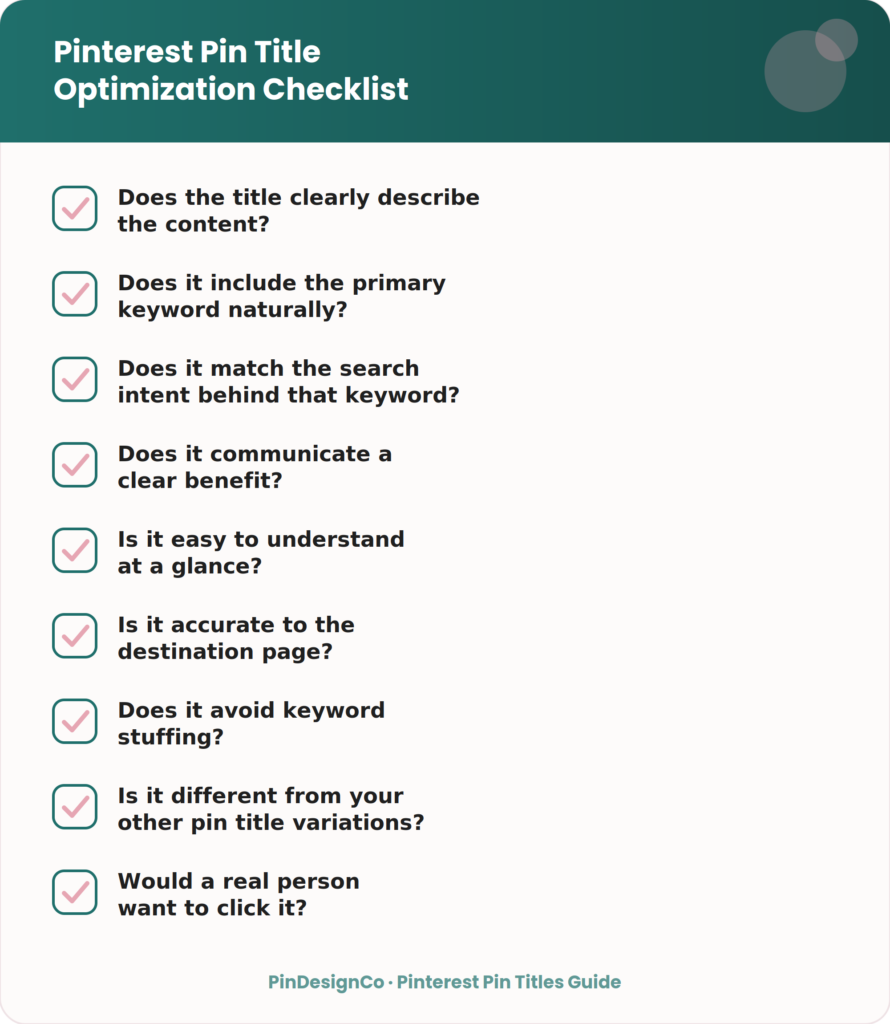
- Does the title clearly describe the content?
- Does it include the primary keyword naturally?
- Does it match the search intent behind that keyword?
- Does it communicate a clear benefit?
- Is it easy to understand at a glance?
- Is it accurate to the destination page?
- Does it avoid keyword stuffing?
- Is it different from your other pin title variations?
- Would a real person want to click it?
Frequently Asked Questions
What should I put in a Pinterest pin title?
Your primary keyword, a clear statement of the topic, and ideally a benefit that tells the reader what they’ll get from clicking.
How do I write a good Pinterest title?
Start with your keyword, be specific about the topic, match the search intent, and keep it readable rather than stuffed with extra terms.
How long should a Pinterest pin title be?
Pinterest’s title field allows roughly 100 characters, but titles often display better when kept shorter, ideally under 60 characters, with the key information at the start.
Should Pinterest titles contain keywords?
Yes, one clear primary keyword placed naturally. Multiple keyword variations crammed into one title usually hurt readability more than they help search relevance.
Should I use the same title for every pin?
No. Different pins linking to the same content should use different title angles so you can reach more searches and see what resonates with your audience.
What makes a Pinterest title clickable?
Specificity, a clear benefit, and honesty about what the content delivers. Vague or exaggerated titles tend to underperform once people realize the content doesn’t match.
Are Pinterest pin titles important for SEO?
Yes, they’re one of several factors Pinterest uses to understand and surface your content, alongside descriptions, board relevance, and engagement.
Can I use my blog post title as my Pinterest title?
Sometimes, if it already includes a clear keyword and benefit. Often a blog title needs light editing to work well as a standalone Pinterest title.
What is the difference between a Pinterest title and description?
The title states the topic concisely for search relevance. The description adds supporting detail and secondary keywords in full sentences.
How do I create Pinterest titles faster?
Keep a running list of the formulas that work for your niche, then swap in your keyword and benefit for each new pin instead of starting from scratch every time.
Key Takeaways
- A Pinterest pin title’s job is clarity and search relevance, not decoration
- Lead with your primary keyword and be specific about the topic
- Match the title format to the actual search intent
- Use numbers only when your content backs them up
- Vary titles across pins pointing to the same content
- Keep the title consistent with your pin design and accurate to your landing page
Final Thoughts
A strong Pinterest pin title comes down to a few things working together: a relevant keyword, a clear topic, the right intent match, a real benefit, and enough specificity to stand out. None of these need to be complicated, they just need to be intentional instead of an afterthought.
Try writing two or three title variations for your next few pins instead of settling on the first one that comes to mind. Pay attention to which angles get more engagement over time, and let that guide how you write future titles.
If writing and testing pin titles across your whole content library feels like more than you have time for, that’s exactly the kind of ongoing work our Pinterest SEO services are built to handle, from keyword-driven titles to full pin optimization.